
betBonanza Nigeria app – Android and mobile guide
The betBonanza app for Android is a free 35 MB APK that installs directly from the betBonanza website and runs on any device with Android 7.0 or higher. Nigerian players in Lagos, Abuja, Port Harcourt and beyond use it to bet on NPFL fixtures, Premier League matches and crash games like Aviator from a single mobile screen. iOS users access the full platform through a browser shortcut that loads the same features without any download.


betBonanza app technical specifications
The Android APK is the primary download format because betBonanza is not listed on Google Play, where gambling apps face regional restrictions in Nigeria. The file is hosted on the official betBonanza website and the download takes under 30 seconds on a standard 4G connection. Compare that with the mobile website, which requires no installation at all but lacks push notifications for odds changes and match results.
iOS users cannot install a native app. Apple's App Store policies restrict sportsbook APPs in many African markets, so betBonanza instead provides a fully responsive mobile site. You open Safari, navigate to betbonanza.com, tap the Share icon and select "Add to Home Screen" to get a shortcut that behaves like an installed app. The shortcut does not require storage beyond the browser cache.
How to download and install the betBonanza APK on Android
Because the APK comes from outside Google Play, Android blocks installations from unknown sources by default. You need to allow this once in your device settings; the option is in Security or Apps depending on your Android version. Tecno Camon, Infinix Hot and Samsung Galaxy A-series phones, which are popular in Nigeria, all support this setting without any special unlocking.
Open betbonanza.com
Navigate to the official betBonanza website using your Android browser. Look for the App or Download tab in the site menu.
Tap the APK download link
Tap the Android download button. The 35 MB file takes about 20 to 30 seconds to download on a standard MTN or Airtel 4G connection.
Allow unknown sources
Go to Settings, then Security or Apps. Find "Install unknown apps" and enable it for your browser. This setting is required only once.
Open the downloaded file
Go to your Downloads folder, tap the betBonanza APK file and tap Install when prompted. Installation takes under 15 seconds on most devices.
Log in or register
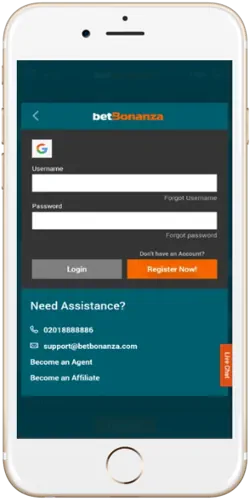
Open the app, tap Log In if you already have an account or tap Register Now to create one. New accounts qualify for the welcome bonus on first deposit.
Key features inside the betBonanza mobile app
The app covers the same product range as the desktop site but is optimised for one-thumb navigation on a 6-inch screen. Live betting odds refresh every few seconds during NPFL and Premier League matches, which is comparable to what desktop users see. The cashout button appears on live bets as long as the event is still in play; it does not appear on pre-match settled tickets. Push notifications alert you when odds change significantly on a pre-selected market, something the browser version cannot do without an open tab.
The casino section inside the app loads Aviator, Gates of Olympus and live Evolution tables from the same lobby as on desktop. Crash games like Aviator run smoothly on a 1 GB RAM device because Spribe's client is lightweight by design. Slots from Pragmatic Play such as Sweet Bonanza require slightly more RAM for animations but work fine on any Android 7.0 device released after 2018.
Live betting
Odds refresh in real time on football, basketball and tennis. Available throughout the duration of any live event.
Cashout
Settle open bets early at the current market price. Active on live events only; not available after a match ends.
Push notifications
Receive alerts for odds movements and match kicks on selected events. Available on the Android app, not the browser shortcut.
Full casino access
Crash games, slots and live dealer tables all load within the app. Aviator by Spribe runs on devices with 1 GB RAM or more.
Deposits in Naira
Fund your account via Opay, PalmPay, Kuda, bank transfer or card from inside the app. Minimum deposit stays at ₦100.
Match statistics
In-app stats panels for live football show possession, shots and cards in real time, helping you choose live markets with more context.
Using betBonanza on iPhone and iPad
There is no betBonanza app on the Apple App Store for Nigerian accounts. The mobile website is the official alternative and it loads every feature available on the Android app except push notifications. From Safari on an iPhone 13 in Lagos or an iPad in Abuja, you reach the same live betting markets, cashout function, Aviator lobby and deposit page.
Adding the site as a home screen shortcut takes about 20 seconds. Open Safari, go to betbonanza.com, tap the Share button at the bottom of the screen, scroll down and tap "Add to Home Screen". Give the shortcut a name and tap Add. The icon then appears on your home screen and opens betBonanza directly without typing the URL each time. The shortcut does not require iOS updates the way a native app would.
For iPhone users who receive SMS alerts through the betBonanza support line (018888886), that remains the practical alternative to push notifications. WhatsApp support at +234 906 292 9962 also lets you request match updates manually if you follow specific markets regularly.
App vs mobile site: what is the practical difference?
Both the Android app and the mobile website give you access to the full betBonanza product. The main difference is push notifications, which only the installed APK supports. On a budget Tecno Spark with limited storage, the 35 MB APK may feel like a meaningful commitment compared to a zero-storage browser shortcut. Players who regularly follow live NPFL matches and want real-time alerts tend to prefer the app; those who bet a few times a week on weekends often stick with the mobile site.
| Feature | Android App (APK) | Mobile Website | iOS Shortcut |
|---|---|---|---|
| Push notifications | Yes | No | No |
| Storage used | 35 MB | None | None |
| Installation required | Yes (APK) | No | No |
| Live betting | Yes | Yes | Yes |
| Cashout | Yes | Yes | Yes |
| Casino and crash games | Yes | Yes | Yes |
| Naira deposits | Yes | Yes | Yes |
| Minimum deposit | ₦100 | ₦100 | ₦100 |